
Copy Instagram URL
Copy the link of the public video, Reel, photo, or Story you want to save.
Paste a public post, Reel, photo, or carousel link.
Paste a public Story or Highlight link and play it in the browser. Your Instagram password stays on Instagram.
Copy the link of the public video, Reel, photo, or Story you want to save.
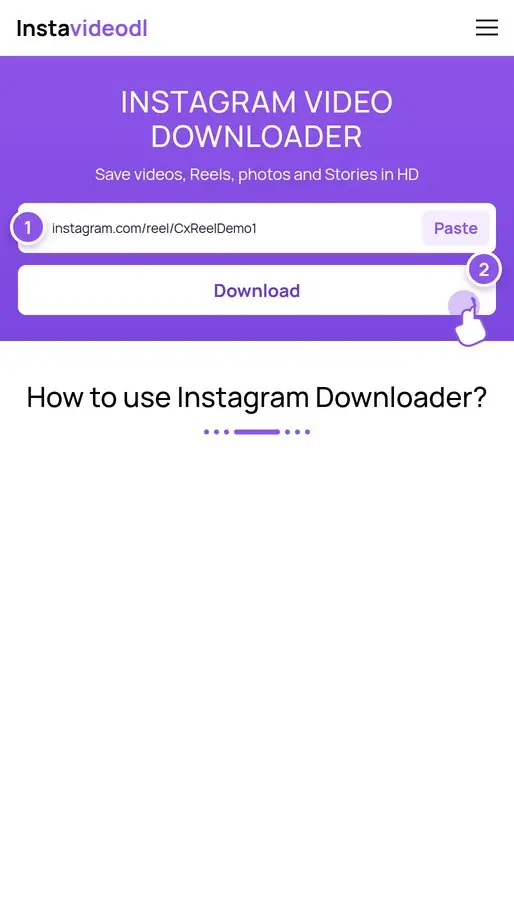
Paste the link into the box above, then press the Download button.
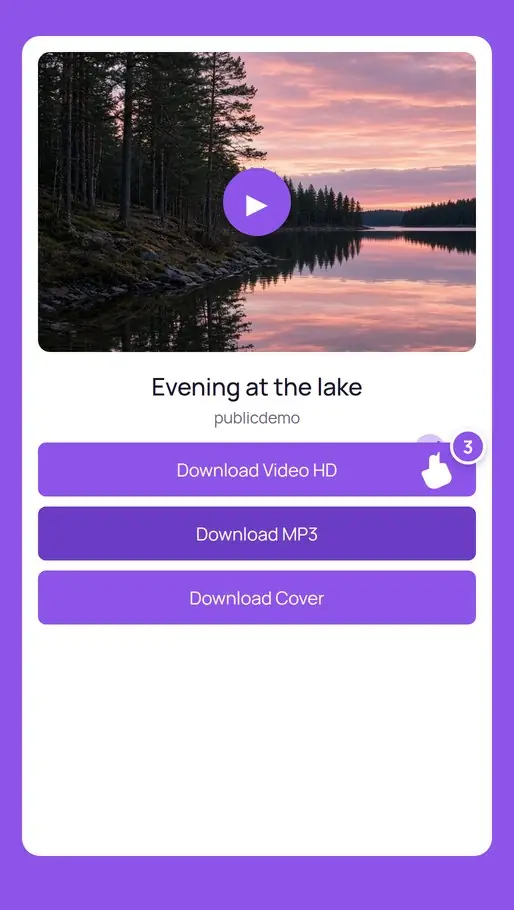
Choose a download option and save the file to your phone or computer.
Insta Video Downloader saves public Instagram videos, Reels, photos, and Stories. Paste a link to keep an HD MP4, a full-size image, or the soundtrack as an MP3 on your phone, tablet, or computer. No account and no app.
It runs in the browser. There is no account to create and no app to install. It is for people who want a direct way to keep public Instagram media when the app does not offer a save button.
Saving a public file takes a few seconds. The same steps work for videos, Reels, photos, and carousels on a phone or a computer.
It reads a public Instagram link and shows every file that link makes available: an MP4, the original image, each carousel slide, a cover, or the latest posts on a public profile.
Quality note: you always get the highest file Instagram has for that post. Results differ because creators upload different sizes.
Each tool is built for one public Instagram format. Open the title to use that page.
Paste a public video link and save the MP4 with its sound. Feed clips and longer videos use the same box. This site does not re-encode the file or stamp a logo on it.
Paste a public Reel link and save the vertical video. Choose MP3 on that page when you only want the soundtrack.
Paste a public photo link for the larger image, or open the carousel page to list every slide. Save one file, or pack the slides into a ZIP in your browser.
Paste a public Story or Highlight link to save the photo or video while it is still online. Highlights stay until the account removes them.
Paste a public Reel when you need the sound. Download MP3 saves only the soundtrack. The video file is not saved.
Save the larger public avatar. It is a different file from a photo posted on the grid. Paste a public profile link on that page.

Paste a public link as you copied it. Tracking codes are removed. A profile name shows the public profile photo. A post, Reel, Story, or Highlight saves that file.
instagram.com/p/…One public photo, video, or carousel. Tracking codes after the link are ignored.
instagram.com/reel/…A vertical clip. Save the MP4, the cover, or the MP3.
instagr.am/p/…Links copied from the Instagram app, including ig.me profile links.
instagram.com/stories/name/idAn active public Story. It disappears when Instagram removes it.
…/stories/highlights/idA pinned set of public Story items.
instagram.com/nameThe public profile photo. A post or Reel on that account still needs its own link.
Video, photo, Reel, carousel, Story, Highlight, profile, DP, audio, cover, long video, and viewers. Each one uses the same paste box. Private accounts, follower lists, and like lists are not included.
Public MP4, cover, and audio.
Vertical video and MP3.
Feed photos, videos, and reposts.
Full-size public images.
Every slide, or a ZIP.
Active public Stories.
Pinned Story collections.
Watch public Stories first.
Your Instagram account is not used.
Play a public Highlight.
Stories, Highlights, and posts.
Recent public posts, 12 per page.
The public display picture.
Soundtrack only, as MP3.
Highest stored size, not fake 4K.
Older /tv/ links and long clips.
The cover still of a video.
Not offered. Public links only.
Creators save a Reel, carousel, or cover they already published, then move it into Photos or an editor.
Marketers watch a public Story and keep a file they have permission to use. Their Instagram login is not part of the lookup.
Note how a public Reel is cut. Copy the caption from the result card. Do not republish the file as your own.
A browser plays public Stories and Highlights. When Instagram removes a Story, it is gone here too.
Follower lists, following lists, like lists, and profile monitoring are not tools on this site.
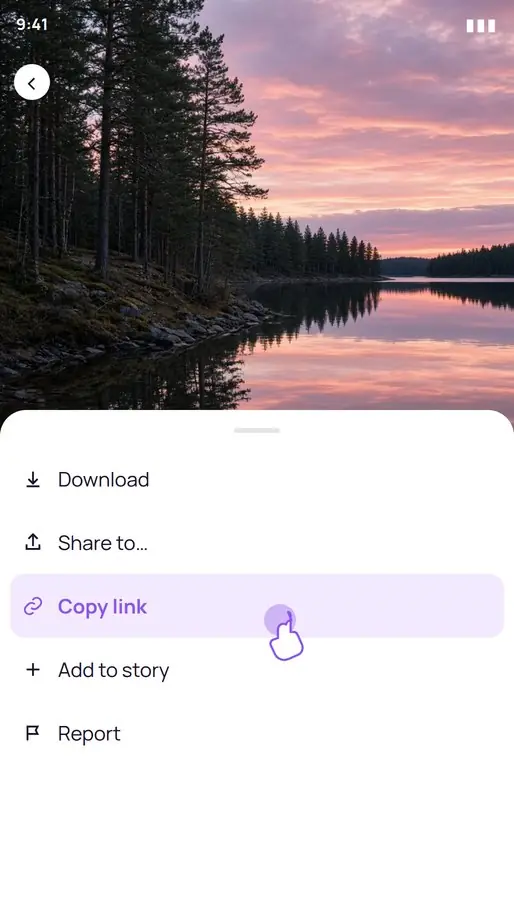
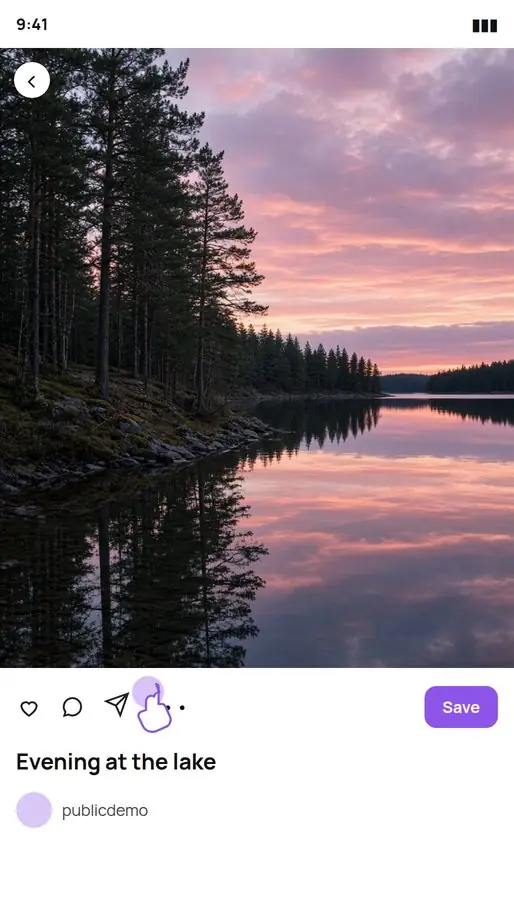
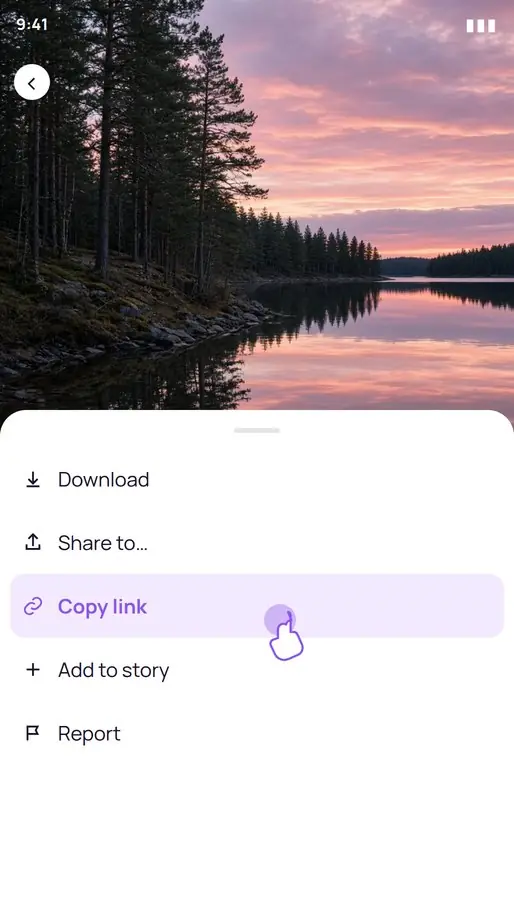
Open the public Reel, photo, or Story in the Instagram app. Tap the paper-plane share icon and choose Copy link. Switch to Chrome on Android or Safari on iPhone, paste into the box, and tap Download. Wait until the preview matches the post.
On Android the MP4 or JPG lands in Downloads, and Gallery or Files can open it. On iPhone and iPad, open the Files app, then Downloads. To put a video in Photos, open the file, tap Share, and choose Save Video. An MP3 stays in Files. It does not belong in the camera roll.
Open the public post in the browser and copy the address bar, or use Share and then Copy link. Paste with Ctrl+V on Windows or Cmd+V on a Mac, then press Enter. Check the preview, then choose MP4, image, cover, MP3, or ZIP.
The file is saved in the Downloads folder. Ctrl+J on Windows and Cmd+Shift+J on a Mac open the browser’s download list. A browser extension that would add a button on instagram.com is not available yet, so the paste box is the whole desktop flow.
A public post is not a free license. Download a file you created, a file you have permission to keep, or a file for personal viewing. Ask the creator before you repost it, run it in an ad, or sell a print. Instavideodl does not add a watermark, and it does not remove a watermark the creator already put in the video. This site is not affiliated with Instagram or Meta.
The link is used only to find that public media. A successful lookup may stay in memory for a few hours so a repeat request is faster. The media file itself is not stored, and there is no download history. Short technical logs may record the time and a status code for security. They do not record a profile of what you saved. Read the Privacy Policy and the Terms.
Copy a public link, paste it here, and save the video, Reel, photo, image, or Story.
New Instavideodl design, with a downloader for every public Instagram media type.
Story Viewer for public Stories and Highlights, with next, previous, and download.
MP3 button converts a Reel soundtrack in the browser.
Carousel posts can be saved one slide at a time or as a ZIP.
Long, practical notes for the formats people actually save. Open a guide for the full walkthrough.
Save a public Instagram Reel to an iPhone with Safari and the Files app.
Save a public photo or carousel slide at the size Instagram stores.
Watch public Stories and Highlights in the browser, with no Instagram login.
HD means the file Instagram already stored, not a sharpened copy.
Save every public slide from a swipe post, one by one or as a ZIP.
Keep the soundtrack of a public Reel as an MP3 made in your browser.
No. Paste a public Instagram link and press Download. There is no sign-up and no Instagram login.
It runs in the browser and does not ask you to install an app. There are no ads and no pop-ups.
In the folder your browser uses for downloads. On Windows press Ctrl+J. On a Mac press Cmd+Shift+J. On a phone, look in Files or Downloads.
No. It does not keep a download history, and it does not store the media files.
In Instagram, tap the share arrow, choose Copy link, open this page in Chrome, paste, and tap Download.
Copy the link in the Instagram app, paste it into Safari on this page, then tap Download. The file goes to Files, in Downloads.
Paste the Reel link, press Download, then choose Download Video HD for MP4 or Download MP3 for the audio. The MP3 is converted in your browser.
Yes. There is no fee and no watermark.
No. Private accounts, deleted posts, and login-only media are not supported.
Yes. Instavideodl can only use what a logged-out visitor can open.
A public profile shows the profile photo. A Highlight link lists the items in that Highlight. A post or Reel needs its own Copy link.
No. Group and invitation links are refused, and the site does not try to get around Instagram’s permissions.
Videos save as MP4 at the best quality Instagram has, audio as MP3, photos as the original JPG, PNG, or WebP, plus the cover image of a video.
No. Files are passed through to your device and are not kept. Repeat lookups may be cached for a few hours so they stay fast.
Save content you created, content you have permission to use, or content you keep for personal viewing. Ask the creator before you repost it or use it commercially.
No. You get the public file Instagram stored. A logo that the creator already placed in the video stays there.
Only if Instagram already has it at that size. Many public videos are 720p or 1080p. Instavideodl does not upscale them.
About 24 hours on Instagram. When Instagram removes a Story, it is gone here too. Expired Stories are not archived.
No. The tools show public media, not follower lists, following lists, or who liked a post.
MP4 for video, JPG, PNG, or WebP for photos, MP3 for audio converted in your browser, and ZIP when a post has several files.
No. Use Chrome on Android or Safari on iPhone. Copy the link in Instagram, paste it here, and download.
Instavideodl does not host Instagram media and is not affiliated with Instagram or Meta. Questions: instavideodl@proton.me